关于CKA考试的考试大纲,在GitHub上cncf/curriculum的仓库中有最新的说明,例如目前是:CKA_Curriculum_v1.34.pdf
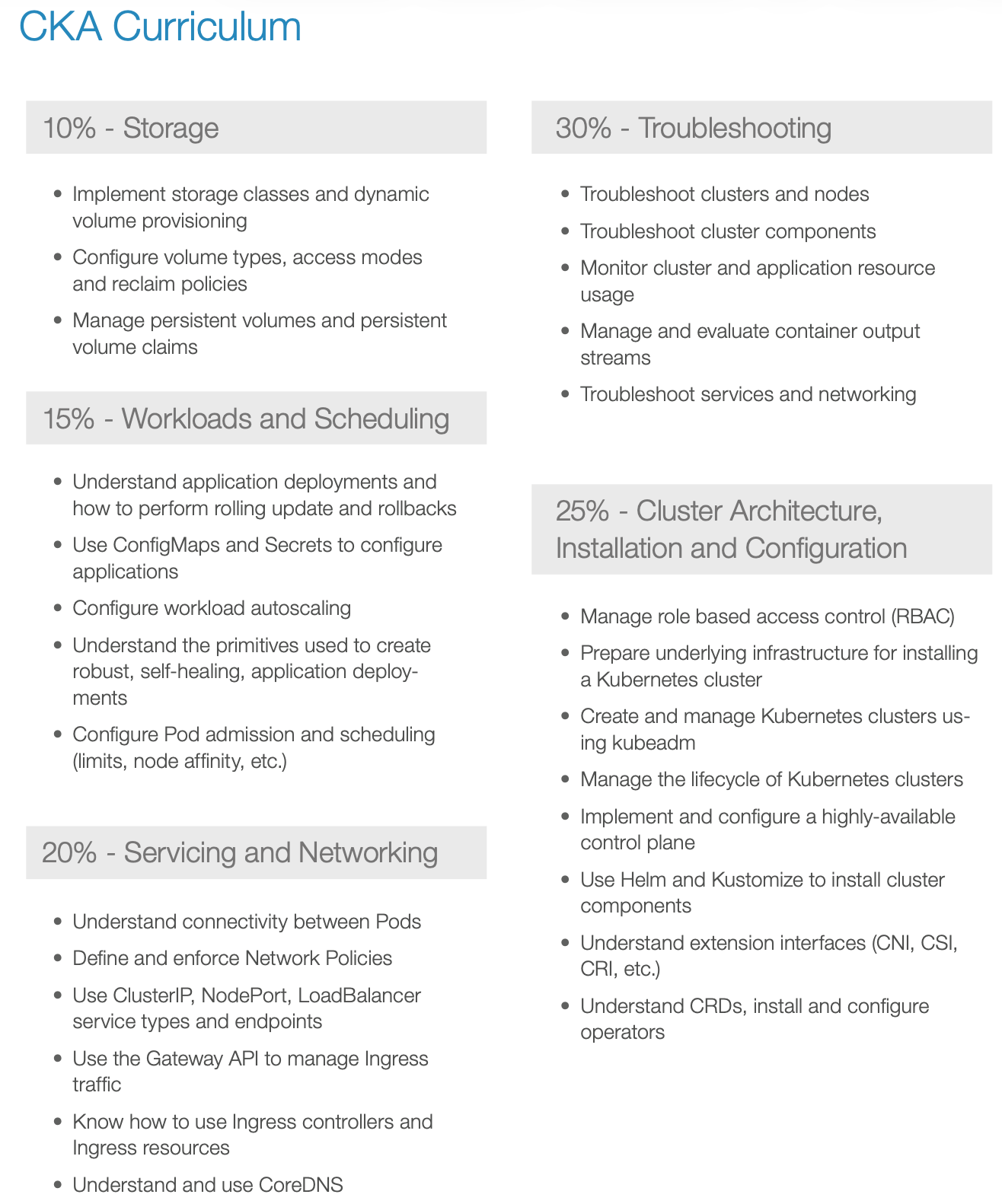
linuxfoundation考试报名的页面的Domains & Competencies部分也说明了考试的能力知识要求。也给出了Learning Path to Certification,不过这个学习路径里面很多还是要付费的,还是算了...
在Youtube上发现了一个可以熟悉CKA考试流程的模式网站
https://killercoda.com/
bashkubectl run nginx --image=nginx --dry-run=client -o yaml > pod.yaml
通过kubectl completion可以自动补全相关命令以及资源名称
bashsource <(kubectl completion zsh) # set up autocomplete in zsh into the current shell
echo '[[ $commands[kubectl] ]] && source <(kubectl completion zsh)' >> ~/.zshrc # add autocomplete permanently to your zsh shell
kubectl completion <shell>(如 bash 或 zsh)会生成一段 Shell 脚本,这段脚本定义了:
- 当你在终端输入
kubectl并按Tab时,应该调用什么函数来生成补全建议; - 这些函数内部会:
- 解析当前命令行上下文(比如你已经输入了
kubectl get po); - 调用
kubectl本身的内部逻辑(或 API) 获取可用的资源列表(如 Pod 名称、命名空间等); - 将结果返回给 Shell,由 Shell 显示在终端上。
- 解析当前命令行上下文(比如你已经输入了
CKA考试期间需要辩解YAML文件,设置VIM的如下配置对于编辑YAML文件很有帮助:
bash# ~/.vimrc
set expandtab # 用空格替换tab
set ts=2 # tab对应的空格的长度
set sw=2 # 缩进宽度
set autoindent # 自动缩进
Apiserver Crash
Misconfigure ETCD connectionChange the existing Apiserver manifest argument to: --etcd-servers=this-is-very-wrong .
Check what the logs say, without using anything in /var .
Fix the Apiserver again.
Log Locations Log locations to check:
/var/log/pods/var/log/containerscrictl ps+crictl logsdocker ps+docker logs(in case when Docker is used)- kubelet logs:
/var/log/syslogorjournalctl
Solution
text# always make a backup !
cp /etc/kubernetes/manifests/kube-apiserver.yaml ~/kube-apiserver.yaml.ori
# make the change
vim /etc/kubernetes/manifests/kube-apiserver.yaml
# wait till container restarts
watch crictl ps
# check for apiserver pod
k -n kube-system get pod
Apiserver is not coming back, we messed up!
bash# 1) if we would check the /var directory
cat /var/log/pods/kube-system_kube-apiserver-controlplane_e24b3821e9bdc47a91209bfb04056993/kube-apiserver/X.log
> Err: connection error: desc = "transport: Error while dialing dial tcp: address this-is-very-wrong: missing port in address". Reconnecting...
# 2) but here we want to find other ways, so we check the container logs
crictl ps # maybe run a few times, because the apiserver container get's restarted
crictl logs f669a6f3afda2
> Error while dialing dial tcp: address this-is-very-wrong: missing port in address. Reconnecting...
# 3) what about syslogs
journalctl | grep apiserver # nothing specific
cat /var/log/syslog | grep apiserver # nothing specific
Now undo the change and continue
bash# smart people use a backup
cp ~/kube-apiserver.yaml.ori /etc/kubernetes/manifests/kube-apiserver.yaml
评论